Discover practical, career-focused online courses in AI, programming, web development and emerging technologies at Skilvado by Education MESD.

18 visible course(s)
International English Language Testing System

International English Language Testing System

📖 Course Description: The International English Language Testing System (IELTS) is the world’s most recognized English proficiency exam for academic, professional, and migration purposes. This comprehensive course by Education MESD is designed to help students, professionals, and immigrants achieve a high band score in both the Academic and General Training modules. The course focuses on enhancing all four language skills — Listening, Reading, Writing, and Speaking, using real exam-style ...

Certificate Available

International English Language Testing System

International English Language Testing System

Course Overview & Syllabus

📖 Course Description:

The International English Language Testing System (IELTS) is the world’s most recognized English proficiency exam for academic, professional, and migration purposes. This comprehensive course by Education MESD is designed to help students, professionals, and immigrants achieve a high band score in both the Academic and General Training modules.

The course focuses on enhancing all four language skills — Listening, Reading, Writing, and Speaking, using real exam-style materials, mock tests, and personalized feedback from expert trainers.

Whether you aim to study abroad, apply for a visa, or boost your global employability, this course provides the strategies and practice you need to succeed in the IELTS exam with confidence.


🎯 Key Features:

  • Covers both IELTS Academic and General Training formats

  • Intensive practice in Listening, Reading, Writing & Speaking

  • Band score improvement techniques

  • Access to official practice materials & mock tests

  • Speaking interview simulations with feedback

  • Personalized writing corrections (Task 1 & Task 2)

  • Group and 1-on-1 mentoring options available

  • Includes guidance for booking the IELTS exam (IDP/British Council)


Enrol Now
JAVA for Board Exam

JAVA for Board Exam

Here you will learn all topic which will assign in your syllabus. We teach you along with a practical session. 

Certificate Available

JAVA for Board Exam

JAVA for Board Exam

Course Overview & Syllabus

Here you will learn all topic which will assign in your syllabus. 

We teach you along with a practical session. 

Enrol Now
Mastering Data Structures & Algorithms for Placement

Mastering Data Structures & Algorithms for Placement

🧠 Course Objective This course is designed to help students master the fundamentals and advanced concepts of Data Structures and Algorithms (DSA) — essential for technical interviews, competitive coding, and product-based company placements. Students will learn to analyze time and space complexity, solve real-world problems, and ace coding tests and interviews at companies like TCS, Infosys, Wipro, Amazon, Microsoft, Google, and more. 📚 Course Curriculum 🧩 Module 1: Programming ...

Certificate Available

Mastering Data Structures & Algorithms for Placement

Mastering Data Structures & Algorithms for Placement

Course Overview & Syllabus

🧠 Course Objective

This course is designed to help students master the fundamentals and advanced concepts of Data Structures and Algorithms (DSA) — essential for technical interviews, competitive coding, and product-based company placements.

Students will learn to analyze time and space complexity, solve real-world problems, and ace coding tests and interviews at companies like TCS, Infosys, Wipro, Amazon, Microsoft, Google, and more.


📚 Course Curriculum

🧩 Module 1: Programming Foundations (Language Optional: C++/Java/Python)

  • Variables, loops, conditionals

  • Functions, recursion, and dry runs

  • Time complexity: Big-O notation


🧩 Module 2: Arrays & Strings

  • Searching & Sorting (Linear, Binary, Bubble, Insertion, Selection)

  • Prefix sum, sliding window

  • String operations: Palindrome, anagram, frequency maps

  • 2D arrays and matrix problems


🧩 Module 3: Recursion & Backtracking

  • Basic recursion patterns

  • Subset sum, permutations, combinations

  • N-Queens problem

  • Sudoku solver (backtracking)


🧩 Module 4: Linked Lists

  • Singly, doubly, and circular lists

  • Insertion, deletion, reversal (iterative & recursive)

  • Detect loop (Floyd’s cycle), intersection


🧩 Module 5: Stacks & Queues

  • Stack using array/LL

  • Infix/Postfix/Prefix conversion & evaluation

  • Queue, circular queue, dequeue

  • Monotonic stack problems (e.g., Stock Span)


🧩 Module 6: Trees & Binary Search Trees

  • Binary trees and traversals (inorder, preorder, postorder)

  • BST operations (insert, delete, search)

  • Lowest common ancestor, height/balance check

  • Heaps and priority queues (max/min heap)


🧩 Module 7: Graphs

  • BFS, DFS

  • Adjacency list/matrix

  • Cycle detection, topological sort

  • Dijkstra's and Prim’s algorithms

  • Disjoint sets and union-find


🧩 Module 8: Greedy & Dynamic Programming

  • Greedy problems: Activity selection, fractional knapsack

  • 0/1 knapsack, LIS, LCS

  • DP on trees and DP on grids

  • Tabulation vs memoization


💻 Capstone Projects / Practice

  • Coding assignments on HackerRank, LeetCode, CodeStudio

  • Weekly coding contests

  • 2 full-length mock placement tests

  • Final mini project (DSA-based)


🧾 Assessment & Certification

  • 8–10 weekly quizzes

  • Live mock coding interview

  • Final project submission

  • Certification from Education MESD

Enrol Now
Python Basic Certification Course

Python Basic Certification Course

📚 What You Will Learn: Module 1: Introduction to Python What is Python? Installing and setting up Python Writing your first program (Hello World) Understanding variables and data types Module 2: Python Basics Operators and expressions Input and output functions Conditional statements (if, elif, else) Loops (for and while) Module 3: Working with Data Lists, Tuples, and Dictionaries String operations Basic functions and ...

Certificate Available

Python Basic Certification Course

Python Basic Certification Course

Course Overview & Syllabus

📚 What You Will Learn:

Module 1: Introduction to Python

  • What is Python?

  • Installing and setting up Python

  • Writing your first program (Hello World)

  • Understanding variables and data types

Module 2: Python Basics

  • Operators and expressions

  • Input and output functions

  • Conditional statements (if, elif, else)

  • Loops (for and while)

Module 3: Working with Data

  • Lists, Tuples, and Dictionaries

  • String operations

  • Basic functions and scope

  • Simple math and logic-based programs

Module 4: School-Oriented Projects

  • Create school-useful programs: Grade calculator, Quiz App, Report generator

  • Python programs for board practicals

Module 5: Final Project & Assessment

  • Mini project (with documentation)

  • Online/Offline assessment

  • Certificate of Completion


🕒 Duration:

  • 4 Weeks | 3 Days a Week | 1 Hour per Class

  • Total: ~12–15 Hours
    Weekend or After-School Batches available

Enrol Now
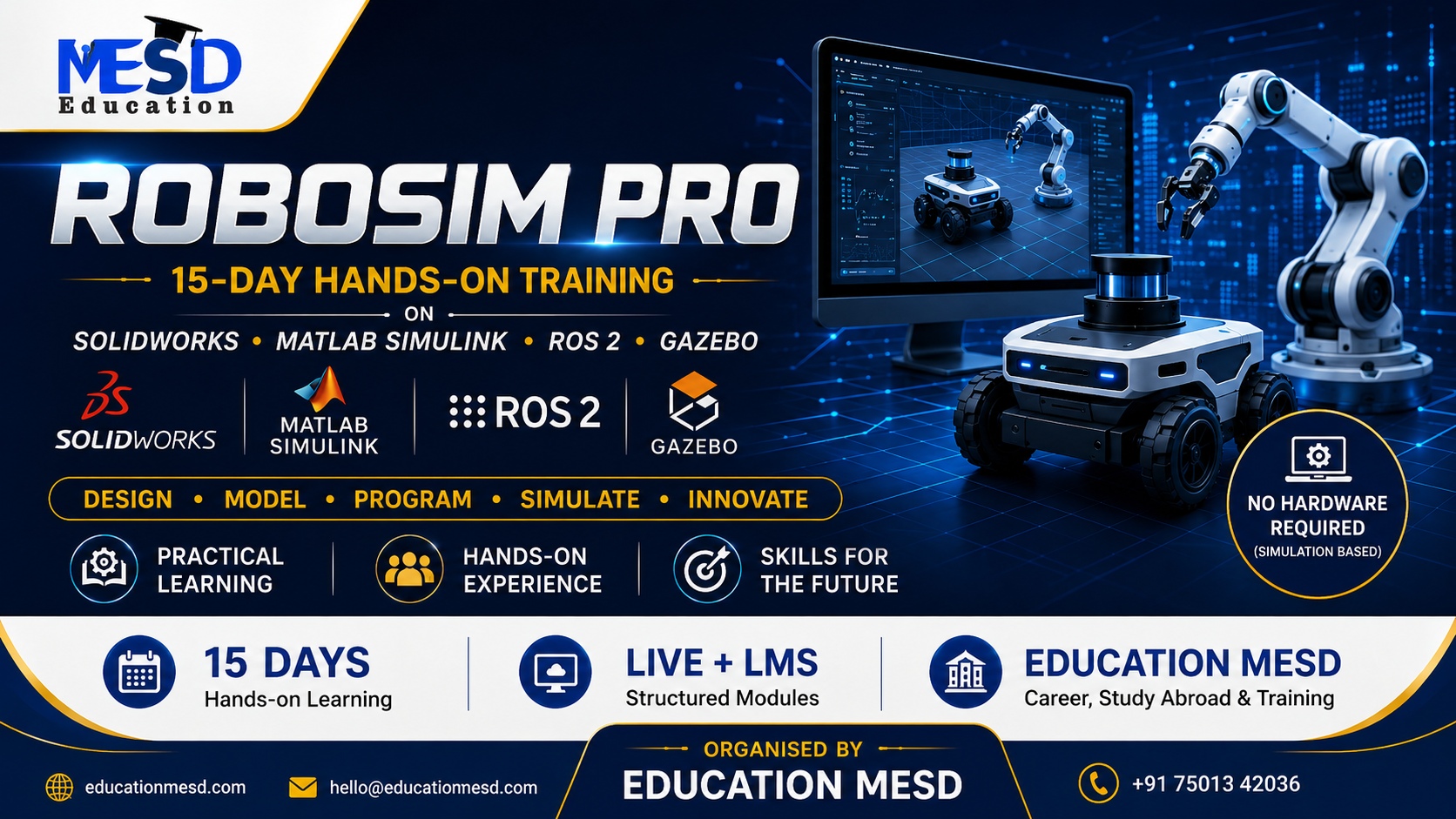
Robotics Design, Simulation and Control Pathway Using ROS 2, Gazebo, MATLAB Simulink and SOLIDWORKS

Robotics Design, Simulation and Control Pathway Using ROS 2, Gazebo, MATLAB Simulink and SOLIDWORKS

This training program introduces students to the complete robotics development pathway, starting from 3D mechanical design, moving into robot simulation, then progressing to robot control and automation using ROS 2 and MATLAB Simulink. The course is designed for students who want to understand how real-world robots are designed, simulated, controlled, tested, and prepared for deployment. Students will work in a software-first environment using industry-relevant tools such as SOLIDWORKS, ...

Certificate Available

Robotics Design, Simulation and Control Pathway Using ROS 2, Gazebo, MATLAB Simulink and SOLIDWORKS

Robotics Design, Simulation and Control Pathway Using ROS 2, Gazebo, MATLAB Simulink and SOLIDWORKS

Course Overview & Syllabus

This training program introduces students to the complete robotics development pathway, starting from 3D mechanical design, moving into robot simulation, then progressing to robot control and automation using ROS 2 and MATLAB Simulink.

The course is designed for students who want to understand how real-world robots are designed, simulated, controlled, tested, and prepared for deployment. Students will work in a software-first environment using industry-relevant tools such as SOLIDWORKS, Gazebo, ROS 2, MATLAB and Simulink.

ROS is an open-source software framework used for building robotic applications, while Gazebo provides a simulation environment where students can test robot models and worlds without physical hardware. Gazebo officially supports interaction with ROS 2, including communication of robot data, commands, joint states, transforms, and visualization workflows.

For 2026, ROS 2 Lyrical Luth is the latest LTS release and is supported until May 2031. For institutions using Ubuntu 24.04, ROS 2 Jazzy Jalisco is also a stable LTS option supported until May 2029.

MATLAB and Simulink will be used for mathematical modelling, control system design, simulation, and ROS integration. MathWorks provides ROS Toolbox and Robotics System Toolbox for connecting to ROS networks, visualizing ROS data, using rosbag files, and developing algorithms for manipulators and mobile robots.

SOLIDWORKS will be used for 3D CAD modelling, mechanical design, assembly design, motion understanding, and early-stage validation of robot structures. SOLIDWORKS also supports product development and simulation workflows for testing designs, optimizing efficiency, and reducing physical prototyping effort.

2. Main Objective

The main objective of this program is to train students in a complete robotics workflow:

Design → Model → Simulate → Control → Integrate → Demonstrate

By the end of the training, students will be able to design basic robot components in SOLIDWORKS, simulate robotic environments in Gazebo, create ROS 2 nodes, publish and subscribe to robot data, and build basic control models using MATLAB Simulink.

3. Learning Outcomes

After completing this program, students will be able to:

  1. Understand the robotics development pipeline from mechanical design to software control.
  2. Create basic mechanical parts and assemblies using SOLIDWORKS.
  3. Understand robot modelling concepts such as links, joints, frames, sensors, and actuators.
  4. Build and simulate a robot environment in Gazebo.
  5. Install and use ROS 2 for robotic communication.
  6. Understand ROS 2 concepts such as nodes, topics, messages, services, launch files, and packages.
  7. Connect ROS 2 with Gazebo for robot simulation.
  8. Use MATLAB and Simulink for basic robot control and algorithm testing.
  9. Develop a simulation-based mini robotics project.
  10. Prepare a project report and demonstration suitable for academic presentation.

4. Tools Covered

Tool Purpose in Training
SOLIDWORKS Robot body design, parts, assemblies, mechanical modelling
Gazebo Robot simulation, virtual worlds, sensors, robot testing
ROS 2 Robot communication, control architecture, nodes, topics, services
MATLAB Mathematical modelling, data analysis, control logic
Simulink Block-based control design and simulation
RViz Robot visualization and sensor data visualization
Ubuntu/Linux Robotics development environment
Python/C++ basics ROS 2 node programming

Module 1: Robotics Foundation and Development Pathway

Module Focus

This module introduces students to the field of robotics and explains how real-world robotic systems are developed using mechanical design, electronics, software, simulation, and control.

Topics Covered

  • Introduction to robotics
  • Types of robots: mobile robots, robotic arms, drones, humanoids, industrial robots
  • Basic components of a robot
  • Sensors, actuators, controllers and power systems
  • Robotics development lifecycle
  • Hardware-based robotics vs simulation-based robotics
  • Role of AI, IoT and automation in modern robotics
  • Career opportunities in robotics and automation

Practical Activity

Students will prepare a basic block diagram of a robot system showing the relationship between mechanical body, sensors, actuators, controller, power supply, and software.

Learning Outcome

After completing this module, students will understand the structure of robotic systems and the complete pathway from robot design to simulation and control.


Module 2: SOLIDWORKS for Robotics Design

Module Focus

This module focuses on the mechanical design side of robotics. Students will learn how robot parts and assemblies are created using SOLIDWORKS.

Topics Covered

  • Introduction to SOLIDWORKS interface
  • Basic sketching tools
  • 2D sketch to 3D part modelling
  • Extrude, cut, fillet, chamfer and pattern tools
  • Robot chassis design
  • Wheel and motor placement concept
  • Sensor mounting space design
  • Battery and controller placement concept
  • Assembly design
  • Basic mates and constraints
  • Design documentation and screenshots

Practical Activity

Students will design a basic mobile robot chassis with wheel placement, motor area, sensor mounting area and controller space.

Learning Outcome

After completing this module, students will be able to design basic robot structures and understand how mechanical design supports robotics development.


Module 3: Linux and ROS 2 Foundation

Module Focus

This module introduces students to the Linux-based robotics development environment and the fundamentals of ROS 2.

Topics Covered

  • Linux basics for robotics
  • Terminal commands
  • ROS 2 introduction
  • Importance of ROS 2 in robotics
  • ROS 2 workspace
  • ROS 2 packages
  • Build system
  • Source command
  • ROS 2 command-line tools
  • Introduction to Python-based ROS 2 development

Practical Activity

Students will create a ROS 2 workspace, create a basic package, build the workspace, and run simple ROS 2 commands.

Learning Outcome

After completing this module, students will understand the basic environment required for ROS 2-based robotics development.


Module 4: ROS 2 Communication and Programming

Module Focus

This module focuses on the communication architecture of robots using ROS 2. Students will learn how different parts of a robotic system communicate with each other.

Topics Covered

  • ROS 2 nodes
  • Topics
  • Messages
  • Publisher-subscriber model
  • Services
  • Parameters
  • Launch files
  • Multi-node execution
  • Debugging ROS 2 applications
  • Basic robot communication workflow

Practical Activity

Students will create a publisher node and subscriber node. One node will publish robot status or movement commands, and another node will receive and display the message.

Learning Outcome

After completing this module, students will be able to create basic ROS 2 applications using nodes, topics, messages and services.


Module 5: Gazebo Simulation for Robotics

Module Focus

This module introduces students to robot simulation using Gazebo. Students will learn how a robot can be tested in a virtual environment before real-world deployment.

Topics Covered

  • Introduction to Gazebo
  • Importance of simulation in robotics
  • Gazebo world
  • Physics-based simulation
  • Ground plane and obstacles
  • Robot models
  • Links and joints
  • Visual and collision elements
  • Sensor simulation concept
  • Robot movement inside a virtual world

Practical Activity

Students will create or modify a basic Gazebo world with ground plane, obstacles and a robot simulation environment.

Learning Outcome

After completing this module, students will understand how to simulate robot movement and test robot behaviour in a virtual environment.


Module 6: ROS 2 and Gazebo Integration

Module Focus

This module connects ROS 2 with Gazebo so students can control simulated robots using ROS 2 commands and communication topics.

Topics Covered

  • ROS 2 and Gazebo workflow
  • Robot state publisher
  • Joint state publisher
  • Command velocity topic
  • Teleoperation concept
  • Sensor data flow
  • ROS 2 topics for simulated robot control
  • RViz visualization
  • Robot movement testing

Practical Activity

Students will control a simulated robot in Gazebo using ROS 2 commands. They will test forward, backward, left, right and stop movement.

Learning Outcome

After completing this module, students will be able to integrate ROS 2 with Gazebo and control a robot in simulation.


Module 7: MATLAB and Simulink for Robotics Control

Module Focus

This module introduces students to model-based robot control using MATLAB and Simulink. Students will learn how control logic is designed and tested before implementation.

Topics Covered

  • Introduction to MATLAB for robotics
  • Introduction to Simulink
  • Block-based modelling
  • Input-output system modelling
  • Basic control system concept
  • PID control concept
  • Speed control
  • Direction control
  • Sensor-based decision logic
  • Simulink model for robot control
  • Overview of ROS and MATLAB/Simulink workflow

Practical Activity

Students will create a simple Simulink model for robot motion control, such as speed control, direction control, or obstacle response logic.

Learning Outcome

After completing this module, students will understand how MATLAB Simulink is used for designing and testing robot control systems.


Module 8: Integrated Robotics Mini Project

Module Focus

This module allows students to apply the knowledge gained from all previous modules and develop a simulation-based robotics mini project.

Project Areas

Students may choose one project from the following:

  • Obstacle avoidance robot simulation
  • Warehouse delivery robot simulation
  • Hospital service robot simulation
  • Smart campus delivery robot
  • ROS 2-based teleoperation robot
  • PID-based robot motion control using Simulink
  • Robot chassis design using SOLIDWORKS
  • Autonomous mobile robot simulation using ROS 2 and Gazebo
  • Agricultural field robot simulation
  • Rescue robot simulation in an obstacle environment

Project Deliverables

Students will submit:

  • Project title
  • Project objective
  • Tool list
  • System architecture diagram
  • SOLIDWORKS design screenshot
  • ROS 2 code/package
  • Gazebo simulation screenshot or video
  • Simulink model screenshot
  • Result explanation
  • Final project report
  • Presentation/demo

Learning Outcome

After completing this module, students will be able to develop and present a basic robotics project using design, simulation, communication and control tools.


Enrol Now
Tally with GST
Beginner

Tally with GST

Tally ERP 9 / TallyPrime with GST – Course Overview This practical course provides comprehensive training in Tally ERP 9, TallyPrime, Accounting, and GST (Goods and Services Tax). Designed for students, entrepreneurs, and working professionals, it develops essential skills in financial accounting, bookkeeping, GST compliance, and business financial management. What You Will Learn Accounting Fundamentals: Accounting principles, journal entries, and ledger management. Tally ERP 9 / ...

Duration: 45 hours Certificate Available
₹8,000 ₹15,000

Tally with GST

Tally with GST

Level: Beginner

Duration: 45 hours

Fee: ₹8,000

Course Overview & Syllabus

🧾 Course Overview:

This course is designed to equip learners with practical knowledge of Tally ERP 9 / TallyPrime along with GST (Goods and Services Tax) concepts and implementation. It is ideal for those aiming for accounting careers, running businesses, or upgrading skills for finance-related roles.


📚 Course Modules & Topics Covered:

Module 1: Introduction to Accounting

  • Basics of accounting

  • Types of accounts and golden rules

  • Journal entries and ledgers

Module 2: Tally ERP 9 / TallyPrime Fundamentals

  • Introduction to Tally interface

  • Creating, modifying, and deleting company data

  • Ledger & Group creation

  • Voucher entry: Payment, Receipt, Contra, Journal

  • Inventory management (Stock Items, Units, Godowns)

Module 3: GST in Tally

  • Understanding GST structure (CGST, SGST, IGST)

  • GST registration and returns

  • GST setup in Tally

  • Creating GST-enabled ledgers

  • Filing GSTR-1, GSTR-3B using Tally reports

Module 4: Advanced Tally Features

  • Banking features (cheque, reconciliation)

  • Payroll management basics

  • TDS, TCS, and statutory compliance

  • Cost centers and cost categories

  • Export & import of data in Tally

Module 5: Practical Assignment & Project

  • Real-world GST transactions

  • GST billing and invoice generation

  • Final project based on real company data


🕒 Course Duration:

📅 Standard Track (Regular)

  • Duration: 45 Days

  • Class Frequency: 1 hour per day (5 days/week)

  • Total Hours: ~40–45 hours

🚀 Fast Track (Intensive)

  • Duration: 20 Days

  • Class Frequency: 2 hours per day (6 days/week)

  • Total Hours: ~40 hours

🗓️ Weekend Batch

  • Duration: 6 Weekends

  • Class Frequency: 3 hours/day (Saturday & Sunday)

  • Total Hours: ~36 hours


📝 Eligibility Criteria:

  • Basic computer knowledge

  • Suitable for commerce students, entrepreneurs, working professionals


💼 Career Opportunities:

  • GST Executive

  • Junior Accountant

  • Billing Clerk

  • Tally Operator

  • Small Business Manager


Enrol Now